
Have you heard of Pinterest?
If you answered no then please just stop reading. Open your browser, type in Pinterest.com and be prepared to lose the next hour of your life.

If you have then you most likely know how much Pinterest has affected blogging. No matter what topic you blog about, Pinterest can drive more and more traffic to your site.
Especially if you use pictures in your posts.
I want to show you a little trick I learned.
After editing a picture you typically save it, and when you save it have to enter a description.
This is the label I am talking about.
When someone clicks on the “Pin It” button on your blog post, the label (or description) you wrote automatically populates in their Pinterest description box.
Why not take that opportunity to enter a complete and specific description?
For instance:
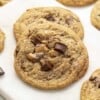
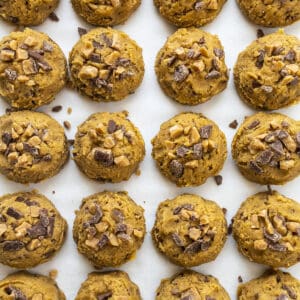
Instead of labeling my cookies, “vertical-cookie” (which describes that I have an upright picture of my cookies) I will choose a more descriptive caption.

For these cookies I chose, “Cherry Flavored Morsel Oatmeal Cookies”.
Other options are:
“Cherry Cookies from iambaker.net”
“Oatmeal Cookie Recipe”
“Cherry Oatmeal Cookies! Find many more delicious recipes on http://iambaker.net!”
(I am obsessed with exclamation marks!)
If your program doesnt allow spaces in between words for the photo description, you can always make the changes in your dashboard when you upload the picture.

Here is the description with the dashes-in-it, pulled directly from my photo editing program. (photoshop)
I simply re-wrote my “title” and made it the description I wanted.

*I use the Catalyst theme in WordPress.
You can completely customize the description to fit your picture and 9 times out of 10 the pinner will leave what you have.
I have found this works when people hit the “pin it” button directly below a picture on your post or when they have a “pin it” button on their toolbar.
Sometimes when people ‘pin’ Pinterest automatically grabs the first few sentences of your post. Your best option in those cases is to make sure that your first sentence talks specifically about what you have made. (this can also be a plugin issue if you have the social media buttons)
There you go! A quick tip to help make sure your pictures are being best optimized for Pinterest use.
If you need an invite to Pinterest let me know! Or if you want to become friends on there HERE is my Pinterest profile. Hope to see you!
Thanks to Tidymom who has been showing us how to implement better SEO practices for a long time now~!
Muchos thankos, Amanda! I’m a Pinaholic and I too, love exclamation points!!!
I’ve always been curious about the actual “description” box, though. Is that what shows up in a search engine?
Are you talking about the Pinterest description box or the description box in your blog dashboard?
(oh, and hi sweety!)
Great tip! I’ve been meaning to figure that out…thanks!!
Anytime! Have a great night!
I’ve always renamed my pictures (and made sure both description boxes were filled) but they are usually bland titles with a few seo-friendly words. I need to spice them up a bit for Pinterest!
Thanks!
a
Well, it sounds like you are doing it right!! Keep up the good work girl.
Thank you so much for this information!
Thanks for stopping by!
One more fantastic reason to give your photos a good name! SEO and now Pinterest!!
Great post Amanda! I pinned it!
Thanks Cheryl! That means a lot since I have basically learned everything I know from you.
This is so helpful Amanda! I love learning about the most efficient ways to use Pinterest!
Oh pah-shaw. I bet you know everything there is to know about Pinterst!
Um, are you subtly bringing up my addiction??!!
Just sayin… if I was ever going to take a class on Pinterest I would hope you would be teaching it!
Thanks for this! I only just recently started labeling my pics, but they’re definitely getting pinned now!
Yay!!
I love your pinterest tips and tricks!!!!
Thank you. Such great ideas.
Thanks sweety!
Great tips – I also read that this title and what you save your photo as, helps with the success of your pin. I will now begin to use that little title box in wordpress, thanks!
Oh, I had not heard that Sarah. Cool!
Thank you for this post! I completely didnt realize that this is what’s going on. Always wondered where Pintetest got that default info from.
Thanks Janine!
This is such a useful post. Thanks a lot.
And about the exclamation marks, me too, totally totally obsessed with them. Its like they show exactly how I am feeling at that moment.
Glad I am not the only one!
Great tip!! I hadn’t ever thought of that. Thanks so much! I love your site and all your baked goodness. Mmm
Great idea! Thank you
Thanks Monique!
Thanks Amanda! Let’s see if I can put it into practice:)
I know you can Sue!! Those sweet and salty ice cream snacks are ADORABLE BTW!
I’m new to blogging and this is something I was wondering how to do. Thank you so much!
You are welcome. Happy blogging!
Wow, great idea!
Thank you Eli!
This is such a useful post! I’ve been using Pinterest myself and I really love it! But I hadn’t thought about editing the labels of my pictures, thanks a lot for the tip
By the way what is your pinterest user so I can follow you there?
Yay! Hope it works for you Miss Lilly!
Here is my Pinterest link:
http://pinterest.com/iambaker/
Thanks!
I was just being silly, I found your Pinterest on your main page and I’m now following you. Thanks
This is fabulous information Amanda! I love all that you do!
Thanks Alison! You are so sweet!!
Great info, Amanda! And I am obsessed and offender of exclamation over use too.
lol Every time I type a sentence without one it just feels wrong!
Thanks so much, Amanda! This is really valuable info!
Well thank you super sweet talented beautiful Debbie!
Thanks for this! I had no idea Pinterest pulled your photo label for their description. Nifty!
I think its a newer thing Courtney!
The good news for me is that I’ve always renamed my photos with a description for MY sake. I am a bit obsessive about that and putting them in directories categorized by type of food too! Grateful for one thing I don’t have to do. Whew.
That is so smart of you Barbara!! Way to go!
This is such a fabulous post, thank you for sharing!! ~ I love your blog!!
Thank you!
This is ingenuous. I noticecd that and wondered how on earth u managed it, but it’s such a simple concept. My you are clever!!! Thank you so much for sharing this – the description enhances any picture plus -if they leave your description at least you are credited for it!!!!
Thanks Heidi! My friend Cheryl has been telling me FOREVER to label pictures better for SEO purposes, and then when I saw Pinterest was pulling that description into their pin, well… lets just say I was thankful for good advice along the way!
Blessings girl!
I’ve never really messed with the titles of photos before, but looks like I’ll be putting a little more effort into it now! Thanks for the tip! (and I am TOTALLY obsessed with using exclamation marks as well!!)
We are bonded for life now!!!! OR maybe just through punctuation.
I was so curious about this. I’ve never pinned something from my own blog, so I just had to pretend I was going to do it and see what popped up. I pulled up my latest post, clicked a picture and this showed up in the text box “Bake at 350: Desserts for Dudes: Cigar Cookies.” Pretty cool! Wonder if that is something blogspot does?!? Is there an actual benefit to being a blogspot blogger?!? Haha!
Thanks for prompting me to look into it.
And yes, I am also a lover of the exclamation point!!!
Oh course, now that I think a little more about it, my post titles are normally something totally random. Hmm….
That is super cool is blogspot pulls that for you!! I have been meaning to tell you… I have had nothing but problems since I switched from trusty old typepad. Site being down, content gone, having to figure out what a plug-in is… looking back I dont think I would have ever made the change!
This is great info Amanda, thanks for sharing!
Well thank you beautiful talented Sylvie!
SO helpful and EASY, thank you!!
Thanks Lisa!! Hope you are feeling great and loving everything about being a momma so far!
I love this step by step – really informative! Thanks for sharing!
Excellent post
This is great!… I love blogging and pinterest!

You find me here: http://pinterest.com/mariannnielsen1/
Have to get back to work, lunch is over
I will check you blog en Pinterest tonight
Have a great day!
//Maya
I ran across your site and I am grateful that I did. These tips along regarding photos was extremely helpful. I will start blogging my creations in the near future so I am a newbie to all of this. Thanks for posting. I have always tried my best to credit all my pics on pinterest if I can. Sometimes these pictures have a dead end and I dont know where the original source came from, especially if it has be pinned a 1000 times. I’m bookmarking you because I love your work.
I’ve already been doing this, but it’s a great reminder. I also use the “alternate title” box. I figure it can’t hurt to have two descriptions. You never know what people will type into google.
Such a great tip, Amanda! I love when you share SEO stuff
Thank you so much for this info – I had NO idea! (I’m so slow at the technology side of my blog).
And so I have another question that you might have the answer to – you know the pins that have several photographs in them from one blog post? Do you know how to do that? I’ve done a little searching online, but I haven’t come up with any answers.
When I try to pin a blog post, it only gives me the option of using one photograph with the pin, and some would be so much better if I could use more than one.
I HOPE that makes sense…
Oh! And I love exclamation makes too!!!!!
Yes! You can simply make a photo collage with your images and then pin that. At least, I think that is what you are asking about? Hope it helps and be blessed!
does it really actually help when you put your URL in the image title?
Some people do that… I have not so I cant testify to its success rate. But why not?
Found this via Pinterest. That thing is more ubiquitous than gravity!
Anyway, just wanted to let you know that an obsession with exclamation marks is normal. And healthy!!!!! =o)
Thank you so much for the tip!! Found you on Pinterest and will be pinning this tip!!!
(and yes, I am an exclamation mark fan too!!)
Thank you very much for this post. It really helps a lot specially for those who, like me, are starting in this world of blogs and “Pinterest”
Amanda,
I just read this (again) and finally had a minute to play around w/ it… I think Blogger is a little different. It doesn’t seem to matter how I label my photos when I save them on my computer. It’s all about what I write in “title text” under “image properties” w/i my blog post. And I’m actually TORN about that. If I use an image text, THAT’S what shows up in my pinning box. If I don’t use an image text, my blog name/post title show up in the pinning box. On the off-chance that pinners don’t change the text that comes up in that box, my blog name will be floating around out there on Pinterest rather than just the name of the dessert recipe (for example) that I posted. Does that make sense? Wouldn’t that bring me the most traffic — or am I looking at this the wrong way? ~Sally
Sally, blogger could definitely be different. Thank you for pointing that out! Hope it helps others!
Thank you so much for that helpful tip! I always wondered about that… You made it very clear and simple….
Thank you thank you. I’m a Pinterest addict and also an avid user for blog traffic. This is very helpful I think this is also helpful for google search traffic as well right?
While I love the personal ease with using the pin it button from a blog recipe or idea that I love – it bugs me when a blogger has put their name first and then the recipe (or whatever). Mostly because if I’m pinning it I want a short summary of what it is that I’m pinning and why it’s on this particular board. I am all for including the name of the blogger – but I’m not pinning a person – I’m pinning a person’s idea! If it’s not the recipe first, I change it to recipe first, and then will put the blogger in parentheses so that the blogger is still getting credit, but the first line I read is what is the item I’m pinning
I’m probably in the minority – but that’s what I do!
I wondered where the auto fill came from
Thanks for helping me!
This was great! Thank you for sharing. I am going to have to come back to reference your steps. So good to know- thanks!
Thank you so much!
Great post, ill take all the P help I can get. Any links or info on hot to get the best Pin It buttons to put on our posts, making it easier for readers to pin the pics?
Thanks again
I am a Pinterest addict, and I always make sure that the picture actually links to a site before I repin. If there is no link associated with the pin, I drop the picture into Google images to find out where it originated. Nothing is more frustrating that seeing a delicious cake or a great craft with no recipe or instructions. I usually give the pin the same label or title as the author of the link. The web address is already identified in the link.
I completely agree !!! I do the same with all my photos on the blog- and it is massively successful. Thank you for sharing ! It is a great tip for other bloggers to learn. You made it soooo easy to understand. YOU ROCK !!
Lynne from Design the Life You Want to Live
Just found your post via Irish Foodies. So glad I did. I’m a total Pinterest addict! And also share your love of the exclamation mark! So those combined alone will make us friends for life…… Seriously though, important advise for a new blogger like me and I appreciate you sharing it. FYI – have pined your post here – http://pinterest.com/cubanfoodblog/photography-editing/
Hasta luego
Tanja
So what you’re saying is, I need to finally get Photoshop so I can save a description for my photographs…
Thanks so much for the Pinterest tips! So far I have not been very diligent about doing a good job at titling my images on my blog but am inspired to do so now!
You have a beautiful and amazing blog, BTW…
awesome thanks for the tip